

A word search generator is a free online tool that turns your list of words into a ready-to-print puzzle in seconds. You type in the words, the tool hides them in a grid of letters, and you hit print. No drawing, no counting squares, no tangled pencil marks.
It’s perfect for a spelling review, a birthday party, or a rainy-day homeschool break. Canva offers a free word search maker for learners. Word Search Labs is free too, with no ads, no watermarks, and no sign-up, and it lets you print with or without the answers. A to Z Teacher Stuff’s Word Search Maker can whip up a puzzle from sight words, class names, or themed vocabulary.
But how does a computer hide words so cleverly? It follows a set of simple steps, which means you can be the computer yourself. Grab a pencil and a grid, and we’ll try it together below. Along the way, you’ll see which tools fit which jobs, plus fun ideas for putting your puzzles to work.
What Is a Word Search Generator? (Hint: It’s a Puzzle-Making Robot!)
Ever wondered how someone hides a whole list of words inside a jumble of letters? Meet the word search generator, a puzzle-making robot that lives on the internet! You type in the words you want, and the tool does the tricky hiding for you. No erasers, no graph paper, no headaches.
Here’s how it works. You give the generator your words, like animal names or this week’s spelling list. Then it tucks every word into a big block of letters called a grid. A grid is just rows and columns of little squares, like a checkerboard, with one letter in each box. Your hidden words go in, and the robot fills every leftover square with random letters to keep things sneaky.
Some free tools even let you print the puzzle, with or without the answers, so you can be the puzzle master or the puzzle solver. Canva has a free word search maker for learners, and Word Search Labs is free with no ads and no sign-up needed.
Before we go on, here are a few words you’ll see a lot:
- Word search
- A puzzle where words are hidden in a box of letters, and your job is to find them all.
- Grid
- The box of squares that holds all the letters, arranged in neat rows and columns.
- Word list
- The set of words you want to hide. You type these in, and the puzzle is built around them.
- Answer key
- A solved copy of the puzzle that shows exactly where every word is hiding.
- Generator
- A tool that makes something for you automatically. This one makes puzzles!
Now you know the puzzle-making vocabulary. Ready to peek inside the robot’s brain?
How Does the Magic Happen? A Peek Behind the Screen

Ever wonder how a word search generator hides your words so quickly? It’s not magic, but it’s close. It’s an algorithmwhich is just a set of steps a computer follows, one after another, to solve a problem. Thinking this way is called computational thinking, and it’s one big reason why STEM matters for curious kids.
Here’s how the generator thinks:
1. It reads your word list. Whatever words you type in, that’s its job list.
2. It picks a spot in the grid. The generator chooses a starting square for a word.
3. It checks if the word fits. Can it go across, down, or diagonally without running off the edge or crashing into a different letter? If not, it tries a new spot.
4. It places the word. One word down, on to the next!
5. It fills the empty squares. Every leftover box gets a random letter, which makes the hidden words tricky to find.
Now it’s your turn to be the computer!
Be the Computer Activity
Grab a pencil and some graph paper (or draw a 8×8 grid).
– Pick three short words, like CAT, SUN, and FROG.
– Choose a starting square for the longest word, FROG, and write it across, down, or diagonally.
– Place SUN next. Watch out! If it needs to cross another word, the shared letter must match.
– Fit CAT somewhere that works.
– Fill every empty square with random letters.
Hand your puzzle to a friend and let them hunt. You just followed the same steps a real generator does, only slower. Computers do this in a blink, and they never get tired of checking squares!

Free Word Search Makers to Try in 2026
Ready to pick a puzzle-making sidekick? Here are three free word search makers worth trying this year, and each one works a little differently.
Canva has a free word search maker that lets you generate a custom puzzle for learners. If your family or classroom already uses Canva, it’s a handy place to start.
Word Search Labs is free to use, with no ads, no watermarks, and no registration required. That means you can hop on and start building right away, with nobody asking for your email first. You fill in a form, and a preview appears automatically so you can see your grid take shape.
A to Z Teacher Stuff has a Word Search Maker that builds a puzzle in seconds. You can feed it a custom word list, class names, sight words, spelling lists, or themed vocabulary. That makes it a speedy pick when you need a puzzle before the bell rings.
Here’s a quick side-by-side look:
| Tool | Cost and sign-up | Standout feature | Best for |
|---|---|---|---|
| Canva | Free word search maker | Generates a custom word search for learners | Teachers and parents |
| Word Search Labs | Free, no ads, no watermarks, no registration | Automatic preview as you build | Kids, parents, and teachers |
| A to Z Teacher Stuff | Builds a puzzle in seconds | Works with spelling lists, sight words, and class names | Teachers |
So which one should you choose? If you want zero fuss, Word Search Labs is a friendly place to begin. If you’re a teacher with a spelling list in hand, A to Z Teacher Stuff is built for that. And if you love designing, Canva gives you a creative home base.
Why not try two and see which feels most like your kind of puzzle robot?
What Can These Tools Actually Do? Key Features at a Glance
Think of the form as your puzzle workshop. You type in your words, and a preview builds itself automatically, so you can see your puzzle take shape before you do anything else. If a word looks too tricky or the grid feels crowded, change it and watch the preview update. No guessing needed!
Once you’re happy, here’s what Word Search Labs lets you do:
Print it your way. You can print a puzzle with or without the answers. Parents and teachers will love this one. Print the answer-free page for the kids, then keep the answer version handy so you can check their work in a snap.
Save the grid. You can export your word search grid as a PNG, an SVG, or plain text. That means you can drop it into a worksheet, a newsletter, or a class slideshow. It’s a bit like moving your puzzle into a different toy box so it fits wherever you need it.
Share a link. Pop out a URL and anyone with the link can solve the puzzle online. Perfect for grandparents far away, homeschool co-ops, or kids learning from home. No printer required!
Embed it on a website. Teachers with a class page or parents with a family blog can place the puzzle right on their own site, so it’s always there when learners visit.
Best of all, it’s free, with no ads, no watermarks, and no registration. You can start building right away, which makes it easy to whip up a fresh puzzle whenever inspiration strikes.
Build Your First Puzzle: A Step-by-Step Adventure
Ready to become a puzzle maker? Grab a pencil, a friend to surprise, and let’s build your very first word search. Any generator works the same basic way, so you can follow along with Word Search Labs, Canva, or A to Z Teacher Stuff.
- Pick a theme you love, like pets, space, your favorite foods, or this week’s spelling words.
- Choose 8 to 12 words that fit your theme and write them on paper first.
- Type your words into the form, one at a time.
- Peek at the automatic preview. Word Search Labs builds one as you type, so you can see your grid take shape.
- Print it with or without the answers, or share the web link so someone can solve it on a screen.
Here’s a tip that saves headaches: shorter words fit into a small grid much more easily. A huge word like “extraordinary” can be tricky to tuck into a tiny square, so mix long words with short ones. If a word refuses to fit, the generator may skip it, so check that every word you typed shows up in the preview.
Now for the best part. Make a puzzle just for someone special, like a sibling, grandparent, or best friend, and fill it with words about things you share. When you hand it over, they’ll get to play word search with words you picked just for them. That’s a gift only a puzzle maker can give!
Fun Ways to Use Word Search Puzzles at Home and in Class
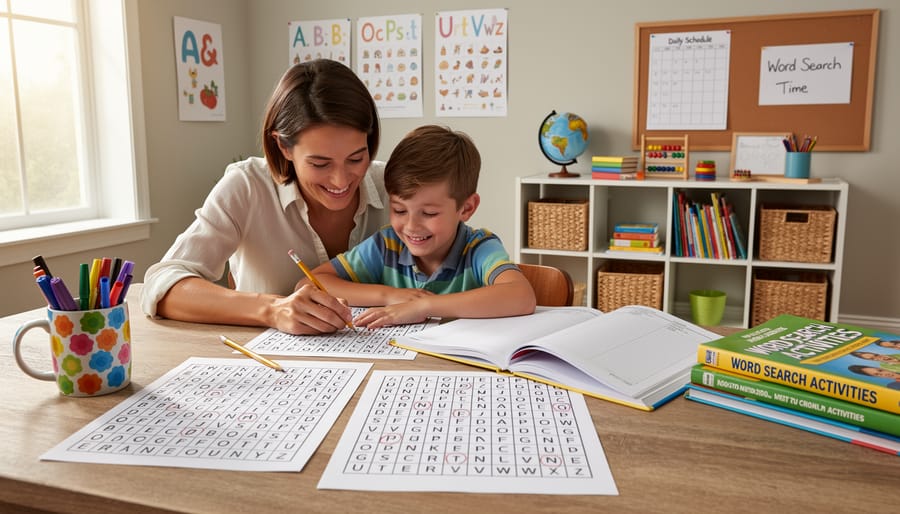
Word search puzzles do a lot more than fill a quiet ten minutes. Try these ideas at home or in class:
– Spelling lists and sight words: Type this week’s words into a generator and let kids hunt for them. Spotting each word letter by letter is sneaky spelling practice.
– Getting-to-know-you fun: Use classmates’ names as the word list. A to Z Teacher Stuff’s Word Search Maker can build a puzzle from class names in seconds.
– Themed vocabulary: Planets for science, explorers for history. Seeing new words again and again helps them stick.
– Kids as puzzle makers: Let students build puzzles for each other. Choosing words that fit the grid takes real planning!
For remote and homeschool days, share a puzzle link so kids can solve a word search online or embed it on a class website. Word Search Labs offers both options.
Along the way, kids practice focus, pattern spotting, and vocabulary building.
Word Search Generator Questions Kids and Grown-Ups Ask
Got questions? We’ve got answers!
Do I need to sign up? It depends on the tool. Word Search Labs is free to use, with no ads, no watermarks, and no registration required, so you can start puzzling right away.
Can I print the answers? Yes! Word Search Labs lets you print your puzzle with or without the answers. Print one copy without answers for solvers and one with answers for the teacher or parent.
Can I put a puzzle on my own website? You can. Word Search Labs lets you embed your word search on your own website. You can also share a link so friends and family can solve it online.
What kinds of words work best? Short, clear words are easiest to hide and easiest to find. Try spelling words, sight words, class names, or a themed list. If your list is long, a bigger grid gives the words more room to hide.
What if I’m stuck on a different kind of puzzle? Word searches aren’t the only brain games out there! If crosswords are more your speed, check out these crossword solver tools for a little help.
You did it, puzzle maker! A word search generator takes any list of words and turns it into a hidden-word adventure, which means spelling lists, animal names, and even your friends’ names can become learning fun. Now it’s your turn. Pick a theme you love, type in your words, check the preview, and print it out or share a link so someone else can solve it online. Your puzzle might be the highlight of a grandparent’s afternoon or your classmate’s rainy-day challenge. So grab a pencil, make a puzzle today, and hand it to someone special. Happy puzzling!
