

The best online math tools for elementary homeschoolers combine adaptive learning technology with game-based design to build both confidence and skills, giving you 24/7 access to personalized practice your child actually enjoys. Unlike static worksheets, these digital platforms adjust difficulty in real time, celebrate progress with rewards kids care about, and free you from constantly checking answers or explaining the same concept five different ways.
But here’s the catch: the market is flooded with options that look engaging on the surface yet teach little more than rote memorization. Some wrap multiplication drills in cartoon graphics and call it adaptive learning. Others promise mastery but lack the pedagogical backbone to actually build number sense. When you’re investing both money and your child’s limited attention span, you need tools that deliver real mathematical thinking, not just flashy animations.
This guide cuts through the noise. You’ll discover which features actually matter for elementary learners, how to spot truly adaptive technology versus marketing hype, and which platforms offer the best value for homeschooling families. We’ll compare subscription models, highlight free alternatives that don’t sacrifice quality, and show you the red flags that signal a tool will gather digital dust after the first week. Whether your kindergartener needs number recognition practice or your fifth grader is tackling fractions, you’ll walk away knowing exactly which tools deserve a spot in your homeschool routine.
What Makes a Great Online Math Tool for Young Learners
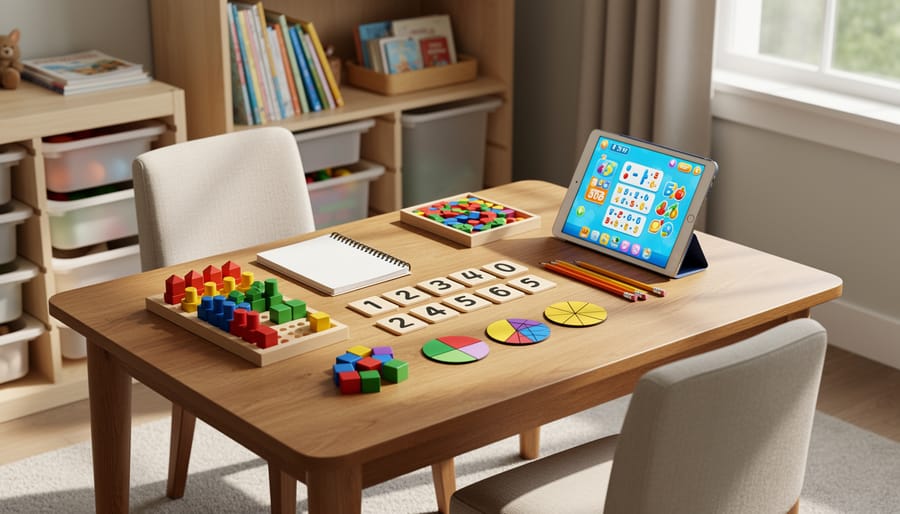
When you’re choosing an online math tool for your elementary homeschooler, you’re not just picking software, you’re selecting a learning partner that will either spark mathematical confidence or create frustration. The right tool feels invisible to your child (they’re just having fun) while doing the heavy lifting of instruction, practice, and feedback behind the scenes.
Start with age-appropriate design. A tool built for third graders shouldn’t look like it was created for high schoolers, and vice versa. Young learners need larger buttons, simple navigation, cheerful visuals, and instructions they can follow independently. If your seven-year-old constantly needs you to explain how to start the next activity, the interface is too complex. Watch for tools that use pictures alongside words, avoid overwhelming busy screens, and let kids move at their own pace without timed countdowns that spike anxiety.
Alignment with learning standards matters more than many parents realize. Quality tools map their content to standards like Common Core or state frameworks, ensuring your child isn’t just playing games but actually covering the skills they need. Check whether the tool addresses the full range of elementary math, number sense, operations, measurement, geometry, and early data analysis, not just drill-and-kill arithmetic. The best platforms show you exactly which standards each activity addresses, so you can fill gaps in your curriculum without guesswork.
Progress tracking transforms a tool from a time-filler into a genuine educational asset. Progress monitoring supports mastery by showing you where your child excels and where they’re struggling, often before they voice frustration. Look for parent dashboards that display completed work, time spent, accuracy rates, and concept mastery, without making you dig through endless menus. Tools that send weekly email summaries are gold for busy homeschooling days.
Engagement level determines whether your child will actually use the tool. Some kids love earning digital badges and unlocking new levels; others find that stuff annoying and prefer straightforward problem-solving. Consider your child’s personality. Does the tool offer variety (videos, games, printable worksheets, real-world problems) or just one approach? Can kids customize avatars or choose themes? Is the voice encouraging without being condescending?
When evaluating options, keep this checklist handy:
- Works on your devices (tablet, laptop, Chromebook) without constant crashes
- Offers offline access or downloadable content for car rides and internet outages
- Provides clear explanations when answers are wrong, not just red X marks
- Lets you adjust difficulty or skip ahead if your child already knows material
- Includes resources for you, teaching tips, printables, concept explanations
Finally, understand the cost structure before you commit. Free trials are your friend, use them to test with your actual child, not just browse the marketing site. Some tools charge monthly, others annually, and a few offer lifetime access. Calculate the real cost per month, and ask whether the tool replaces a textbook you’d otherwise buy or supplements something you already have. The most expensive option isn’t always the best, and plenty of free tools rival paid platforms if you’re willing to cobble together a few different resources.
Types of Online Math Tools Compared
Gamified Practice Platforms
Gamified practice platforms disguise math drills as quests, treasure hunts, and competitions where kids earn virtual coins, unlock new levels, and customize their avatars. Instead of completing yet another worksheet, your child might battle math monsters by solving multiplication problems or build a fantasy city by mastering fractions.
These tools excel at building fluency, the automatic recall of math facts that frees up brain space for harder problem-solving. When a third-grader races against the clock to save digital penguins through division practice, they’re developing speed and accuracy without realizing they’ve just completed fifty problems.
The motivation boost is real. Many reluctant math learners will beg for “just five more minutes” when they’re one treasure chest away from leveling up. That intrinsic drive transforms practice from a battle into something kids initiate on their own.
Look for platforms that balance fun with substance. The best ones increase difficulty gradually, require genuine problem-solving rather than random guessing, and let parents see detailed progress reports showing which concepts need more work. Beware of tools that prioritize entertainment over learning, if your child can advance without actually solving problems correctly, it’s just a video game wearing a math costume.
Adaptive Learning Systems
Adaptive learning systems act like a personal tutor for each child, watching how they solve problems and then adjusting what comes next. When your second-grader breezes through single-digit addition, the program quietly bumps up to two-digit challenges. When she stumbles on regrouping, it loops back with a simpler approach before trying again.
These platforms use algorithms to map exactly where your child stands on every skill, place value, fractions, word problems, and build a custom path forward. Research shows that AI adaptive learning improves outcomes by meeting students precisely at their level, preventing both frustration and boredom.
The best adaptive tools show you detailed progress dashboards so you can see which concepts clicked and which need more hands-on practice away from the screen. They work brilliantly for mixed-ability households where one child races ahead while another needs patient repetition. The downside? They require steady internet, and some kids find the constantly shifting difficulty a bit impersonal compared to a chatty game mascot. Still, for building a solid foundation across all elementary topics, adaptive systems deliver targeted practice that genuinely responds to how your child learns.
Virtual Manipulatives and Visual Tools
Virtual manipulatives bring hands-on math to the screen, perfect for children who understand concepts better when they can see and move things around. These tools let kids drag, drop, and rearrange digital base-ten blocks, fraction bars, pattern blocks, and geometry shapes just like their physical counterparts, but with unlimited supplies and no cleanup.
The best platforms offer virtual number line and blocks that respond smoothly to touch or mouse movements, making regrouping in addition or comparing fractions intuitive rather than abstract. Your child can split a fraction bar into pieces, watch how three-fourths relates to six-eighths, or build hundred charts that light up patterns.
These work beautifully for kids who struggled with abstract symbols on worksheets. When place value clicks because they physically moved ten ones into the tens column, or multiplication makes sense after building equal groups with counters, you’ve found the right learning pathway. Many homeschoolers keep these tools open during lessons as visual references, letting children manipulate objects while working through problems on paper, combining digital benefits with traditional problem-solving.
Video Lesson Platforms
Video lesson platforms combine clear instruction with built-in practice, making them perfect when you’re introducing a brand-new concept like long division or fractions. Your child watches a short tutorial, usually five to ten minutes, that breaks down the topic into simple steps, then immediately applies what they learned through guided exercises.
Khan Academy remains the gold standard here, offering thousands of free videos organized by grade level and Common Core standards. The bite-sized lessons work beautifully for visual learners who need to see problems worked out step-by-step. Math Antics provides similarly clear explanations with charming animations that stick in young minds.
The strength of video platforms lies in their pause-and-rewind capability. When your second-grader doesn’t quite grasp regrouping the first time, she can watch that two-minute segment again without frustration. You’re freed from explaining the same concept seventeen different ways, and kids often absorb information differently from a new voice.
Look for platforms where practice problems appear right after each video, not days later when the lesson’s already fuzzy.
Math Fact Fluency Builders
Math facts are the building blocks of mental math confidence, knowing 7 + 8 or 6 × 9 instantly frees up brain power for harder problems later. Fluency builders zero in on this specific skill through quick drills, timed challenges, and repetition disguised as fun.
These tools work best for second through fourth graders building automaticity with basic operations. Look for features like adaptive pacing that lets kids master small sets of facts before adding more, customizable fact families so you can focus on troublesome combinations, and motivational elements like streaks or leaderboards that encourage daily practice without pressure.
Most fluency builders offer short 5-10 minute sessions, making them perfect for morning warm-ups or transition times between subjects. The best ones balance speed building with accuracy, ensuring children don’t just race through problems but truly internalize the relationships between numbers. Some include engaging formats like math fact races, rocket launches, or treasure hunts that transform drill into adventure.
Top Online Math Tools for Elementary Homeschoolers in 2026
Best All-Around Platforms
When you need one tool that grows with your child from kindergarten through fifth grade, these platforms deliver the most bang for your buck and your time.
Khan Academy Kids (ages 2-8) and Khan Academy (all ages) together form an unbeatable free combination. The Kids version uses colorful characters and gentle encouragement to introduce counting, shapes, and basic operations. Once your child outgrades those adorable animations, the main Khan Academy platform picks up seamlessly with video lessons, practice problems, and mastery tracking through middle school and beyond. The parent dashboard shows exactly which skills need more practice, and the progression follows a logical sequence that many homeschoolers use as their primary curriculum.
IXL Math covers pre-K through grade 6 with over 4,000 skills organized by grade level and topic. Each problem includes detailed explanations when your child gets stuck, and the scoring system shows not just whether answers are correct but how confidently your student understands each concept. The subscription runs about $20 monthly for one subject, with family plans available. Parents especially appreciate that IXL doesn’t just drill facts, it builds conceptual understanding through word problems, visual models, and even connections to homeschool geometry tools for spatial reasoning.
Prodigy Math turns the entire elementary math curriculum into a fantasy adventure where defeating monsters requires solving grade-appropriate problems. Free accounts provide full curriculum access, though premium memberships unlock cosmetic perks kids love.
Best for Struggling Learners
When your child struggles with math, you need tools that break concepts into tiny, manageable steps and celebrate every small victory. Moby Max stands out here, it identifies specific skill gaps, then builds a personalized path that revisits concepts in different ways until they stick. The slow, patient pacing prevents overwhelm, and the immediate feedback helps kids correct mistakes before frustration sets in.
ST Math (from MIND Research Institute) takes a completely different approach by teaching through visual puzzles with minimal words, making it perfect for children who freeze up when they see numbers. The penguin character guides them through spatial-temporal reasoning that builds number sense without triggering math anxiety.
For kids who need to see and touch concepts, Number Blocks apps connect the beloved BBC characters with interactive manipulatives. Children physically move number blocks around to solve problems, bridging the gap between concrete and abstract thinking.
These tools share a critical feature: they remove time pressure entirely, letting struggling learners work at their own pace without the shame of being “behind.”
Best Free and Budget-Friendly Options

Quality math education doesn’t require expensive subscriptions. Khan Academy remains the gold standard for free elementary math instruction, offering comprehensive video lessons and practice problems for grades K, 6 with excellent progress tracking. Prodigy delivers engaging game-based math practice at no cost, though premium features add cosmetic rewards. Math Playground provides hundreds of free logic games and problem-solving activities perfect for skill building. For fact fluency, Xtramath offers completely free daily practice sessions. IXL allows 20 practice problems daily without a subscription, often enough for targeted practice. Many families successfully homeschool using only these free tools, supplementing with occasional hands-on activities.
Best for Advanced Students
Mathematically gifted elementary students need tools that let them explore concepts beyond their grade level without waiting for the rest of the class to catch up. Beast Academy (from Art of Problem Solving) stands out here, offering comic-book-style lessons that tackle topics like number theory, logic puzzles, and problem-solving strategies typically reserved for middle school. The puzzles encourage creative thinking rather than just computation speed.
Prodigy Math allows advanced students to work several grade levels ahead while maintaining the game-based format that keeps learning enjoyable. Khan Academy remains excellent for self-paced learners who want to jump into topics like pre-algebra or geometry early, with unlimited practice and video support.
For students who love competition, Math Kangaroo and First in Math offer challenging problems that reward strategic thinking over rote memorization, keeping brilliant young minds engaged and growing.
Common Mistakes Homeschoolers Make When Choosing Math Tools

The biggest mistake homeschooling parents make is falling for eye candy. Tools with dazzling animations, loud sound effects, and elaborate reward systems might wow kids initially, but they often prioritize entertainment over actual learning. If your child can play for 30 minutes without encountering genuine mathematical thinking, just clicking through repetitive problems for virtual prizes, you’ve got a game, not a learning tool. Look past the graphics and ask whether the tool requires students to explain their reasoning, explore multiple solution strategies, or build conceptual understanding.
Many parents also ignore the parent dashboard entirely, which is a costly oversight. You need visibility into what your child is actually doing and learning. A quality tool provides clear progress reports, highlights concepts your student has mastered versus those needing more work, and flags when they’re repeatedly guessing rather than problem-solving. Without these insights, you’re flying blind and can’t adjust your teaching approach. The best tools give you actionable data, not just participation badges.
Choosing a tool that clashes with your child’s learning style wastes money and frustrates everyone. A primarily auditory learner might struggle with text-heavy platforms, while a kinesthetic learner needs more than passive video watching. If your student thrives with hands-on geometry learning, a drill-and-kill app focused solely on timed facts won’t meet their needs. Match the tool’s teaching method to how your child actually learns best.
Finally, over-relying on screen-based math is a trap. Digital tools excel at practice and reinforcement, but they shouldn’t replace manipulatives, real-world problem-solving, or mathematical discussions. If your child spends an hour daily on a math app but never measures ingredients for baking or counts change at the store, you’re missing half the learning. Balance is essential, technology should enhance your math instruction, not become the entire curriculum.
Making Online Math Tools Work in Your Homeschool Day
Having the right math tools is only half the battle, using them wisely makes all the difference. The sweet spot for most elementary homeschoolers is 15-20 minutes of focused digital practice per day, not marathon sessions that leave everyone glazed over. Think of online tools as your teaching assistant for reinforcement, not the main instructor for brand-new concepts.
Start each math lesson with hands-on work when introducing something new, real coins for money math, fraction circles you can touch, drawings on paper. Once your child grasps the concept, then bring in the digital tool for practice and mastery. This sequence honors how young brains learn best: concrete experience first, abstract reinforcement second.
Here’s how to keep digital math time productive without the burnout:
- Set a timer and stick to it, better to end while they’re still engaged than push until they’re frustrated
- Schedule digital practice at your child’s peak alertness time, not when they’re already tired
- Alternate between screen-based and paper-pencil problems throughout the week
- Use the parent dashboard every Friday to spot patterns, are they rushing through, getting stuck on specific concepts, or actually progressing?
- Let kids earn screen time for other activities by completing their math practice first
Pay attention to your child’s engagement level. If they’re clicking mindlessly just to advance, the tool isn’t working, either adjust the difficulty setting or switch activities. The progress tracking features most platforms offer are gold for homeschoolers; check them weekly to see if your child truly understands or just got lucky with multiple choice answers.
Mix up your approach throughout the week. Monday might be gamified practice, Wednesday could be video lessons for a new topic, and Friday might skip screens entirely for board games that build math thinking. This variety keeps math fresh and prevents any single tool from becoming stale.
Frequently Asked Questions
How much screen time is too much for elementary math practice?
Most education experts recommend limiting math tool usage to 20-30 minutes per day for younger elementary students (K-2) and 30-45 minutes for older ones (3-5). The key is balancing digital practice with hands-on manipulatives, paper-and-pencil work, and real-world math experiences like cooking or measuring.
Are free math tools good enough, or should I pay for premium versions?
Many free tools offer excellent quality for basic practice and concept introduction. Consider paying for premium features if you need detailed progress reports, personalized learning paths, or access to comprehensive curriculum coverage. Start with free versions and upgrade only when you see a clear need.
How do I know if a math tool is actually working for my child?
Watch for genuine understanding, not just correct answers. Can your child explain what they’re doing? Do they apply concepts to new problems without the tool’s help? Regular quick check-ins with paper-and-pencil problems reveal whether the tool is building real skills or just screen-time fluency.
What should I do when my child refuses to use the math tool I chose?
Resistance often signals a mismatch between tool and learning style rather than stubbornness. Try a different approach: switch to a more game-like platform if yours feels too drill-focused, or vice versa. Sometimes rotating between two tools prevents boredom while covering the same concepts.
Remember that online tools are meant to support your teaching, not replace the personal connection that helps make math click for your child. Trust your instincts about what’s working. If a tool causes daily battles or tears, it’s not the right fit regardless of how many awards it has won. The best tool is one your child opens willingly, practices with consistently, and actually learns from, even if it wasn’t your first choice.
The perfect online math tool isn’t the one with the fanciest animations or the longest feature list. It’s the one your child actually wants to open each day. Before you invest in any platform, try before you buy by exploring free trials together. Watch how your child responds. Do their eyes light up? Do they ask to do “just one more problem”? That excitement matters more than any five-star review.
Remember, these digital tools are your teaching assistants, not your replacement. The most powerful math learning still happens in those moments when you sit beside your child, working through a tricky problem together or celebrating a breakthrough. Online platforms can drill facts, provide instant feedback, and make practice engaging, but they can’t replace your encouragement, your ability to spot when your child needs a different approach, or those kitchen-table conversations where math suddenly makes sense. You’re not just choosing software. You’re choosing resources that support the incredible work you’re already doing as your child’s most important math teacher.
